
Bulk product editing
Change titles, descriptions, vendors, product types, status and tags across many products at once — set, add, remove, prefix, suffix or find & replace.
Shopify bulk product editor
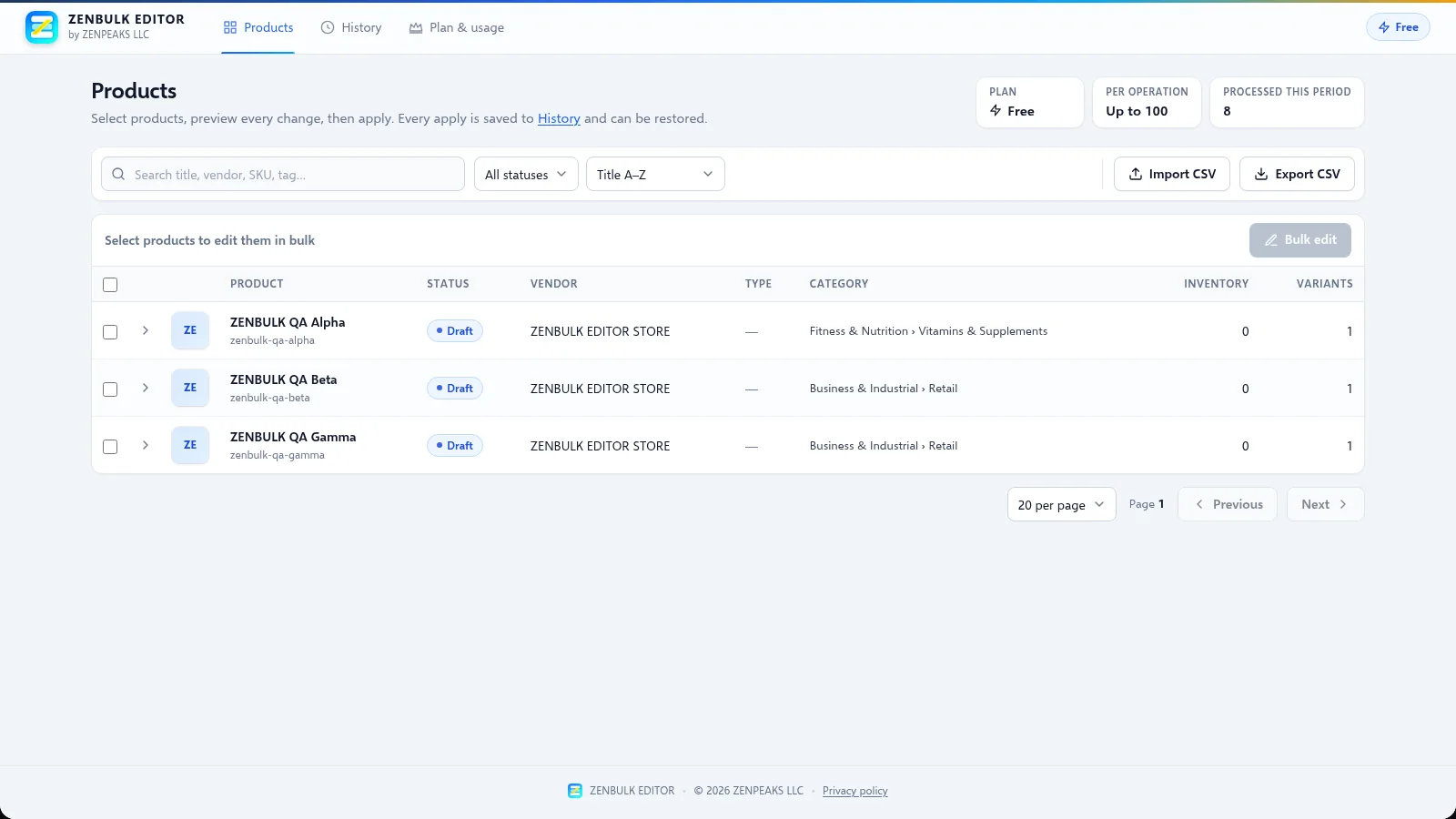
ZENBULK EDITOR updates products, variants, prices and inventory in bulk, right inside Shopify admin. Preview every change before it is applied and restore any batch from your edit history.
Features
Powerful bulk tools with a preview, a history and a restore button built in.
Change titles, descriptions, vendors, product types, status and tags across many products at once — set, add, remove, prefix, suffix or find & replace.
Update prices by %, amount or factor, compare-at prices, SKUs, barcodes and weights, and set or adjust stock for each location.
Export products to a spreadsheet, edit offline and import it back. Columns map automatically and every row is validated first.
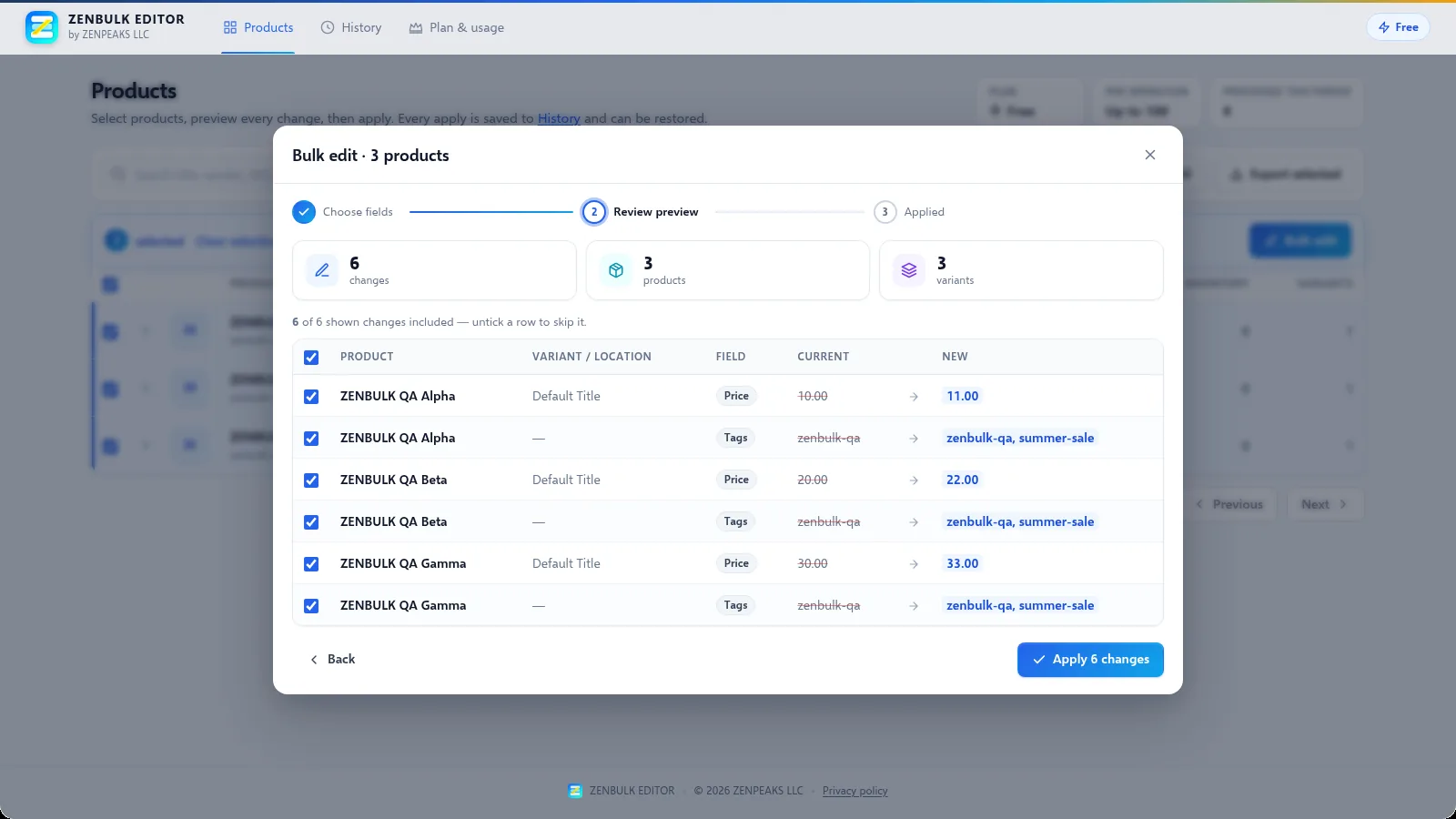
See every current → new value side by side, untick anything you do not want, then apply. Nothing changes until you confirm.
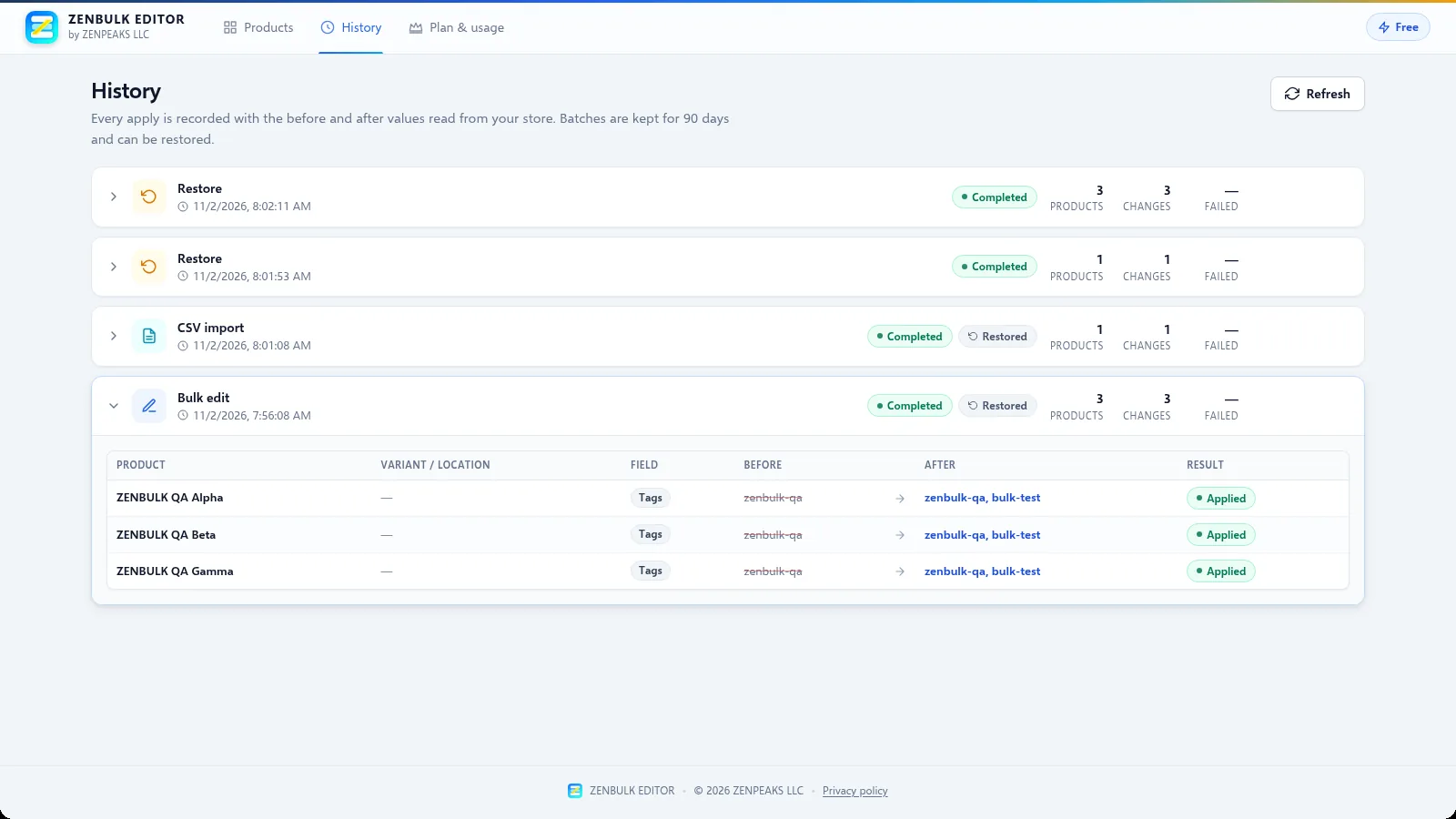
Every apply is recorded with before and after values for 90 days. Restore a whole batch to its previous values in one click.
Generate titles, descriptions, SEO text and tags, or suggest Shopify product categories — always reviewed before anything is applied.
Optional — requires an AI provider to be configured. When none is configured, AI features are hidden.
Product tour
Real screens from ZENBULK EDITOR running in a Shopify development store.
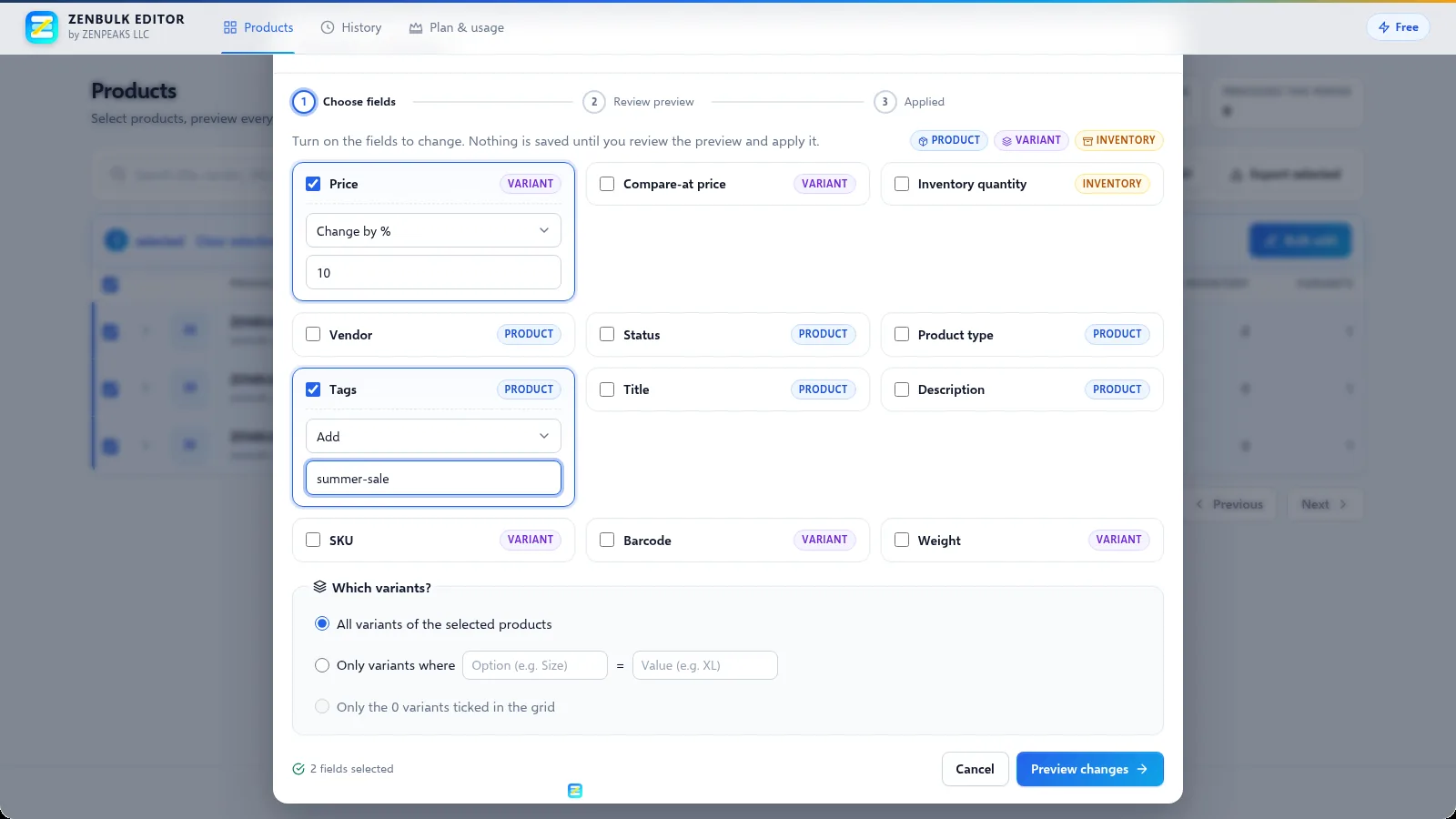
Choose any combination of product, variant and inventory fields. Each field shows its level so you always know what will change.
The preview shows current and new values for every product and variant. Untick a row to skip it before you apply.
Each bulk edit, CSV import and restore is listed in History with before and after values, ready to be restored.
How it works
Search, filter by status and sort your catalog, then tick products or individual variants.
Turn on the fields to change and pick how: set, adjust, add, remove or replace.
Review every current → new value and untick rows you want to skip.
Apply in one click. Each batch is saved to History and can be restored when needed.
Pricing
Start free. Upgrade when you need to edit more than 100 products in one operation.
Free
$29.99USD / 30 days
$99.99USD / year
Prices in USD. Charges are approved in Shopify admin and appear on your Shopify invoice. Choose or change your plan anytime from Plan & usage inside the app.
FAQ
Product level: title, description, vendor, product type, status and tags. Variant level: price, compare-at price, SKU, barcode and weight. Inventory: quantity per location (set to a value or adjust by +/−).
The Free plan allows up to 100 products per operation. Pro Monthly and Pro Annual have no per-operation product limit. Large operations run in the background with a progress indicator.
Yes. Every apply is saved to History with the before and after values. Open History, click Restore on the batch and confirm to write the previous values back to your store. Expand any batch to see every before and after value.
No. AI content generation (titles, descriptions, SEO text and tags) and AI categorization require an AI provider to be configured for the app. When no provider is configured, AI features are hidden and no product data is sent to any AI service.
Enter your store domain to open ZENBULK EDITOR in Shopify admin.